

API Keys & Access
Create, rotate, scope, and restrict Mappinest API keys for web, mobile, desktop GIS, and server apps, with domain rules and per-tileset access control.
Overview
API keys are the main way to authenticate requests to Mappinest APIs and control access to your data. You can find them in the console under Access → API Keys. When you are logged in, the default API key is automatically embedded in docs examples and studio previews.
API keys are passed through the ?key=<key> query parameter on request URLs. You can create additional keys when you need separate scopes, domain rules, or environments.
What you can do in this section
- Create and rotate API keys from one console view.
- Control scopes and key type (
web,desktop, orserver). - Restrict browser access with domain allowlists and CORS checks.
- Restrict access to specific tilesets or datasets using
username.tilesetIDs.
Create and manage API keys
Use the API Keys page in the console to create keys, rotate the default key, and edit key policies for production use.
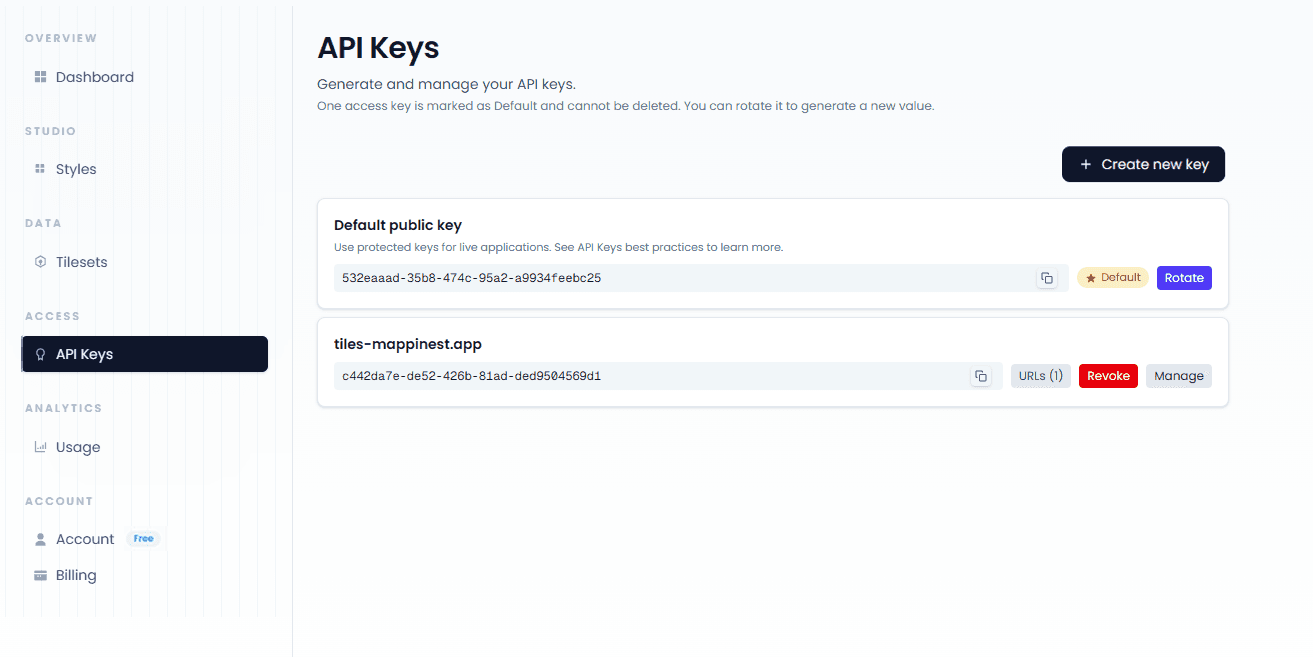
Default API key
The default API key is read-only. You can rotate it but you cannot edit or delete it.
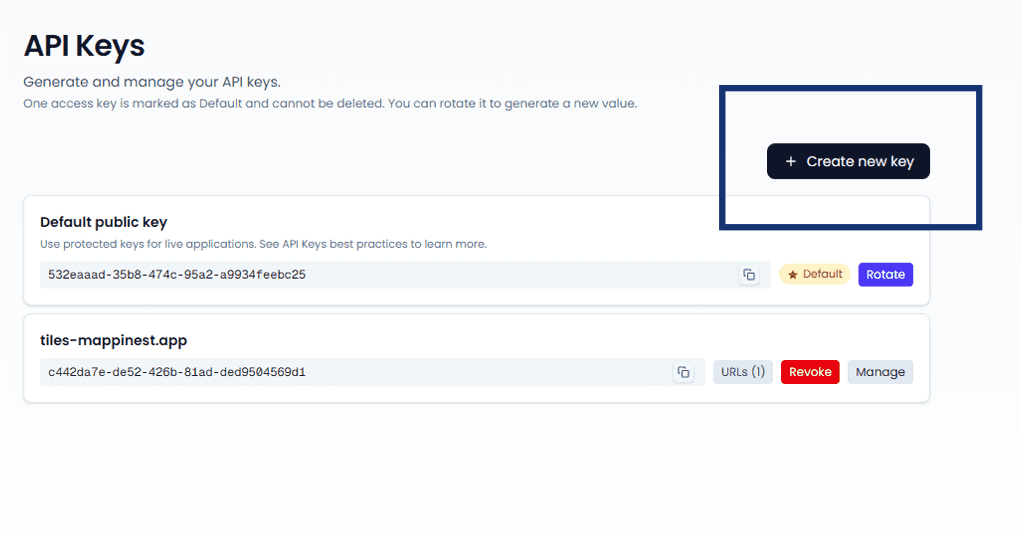
Create key form
Use this button to create API key dialog with key type, scopes, and domain restriction fields.
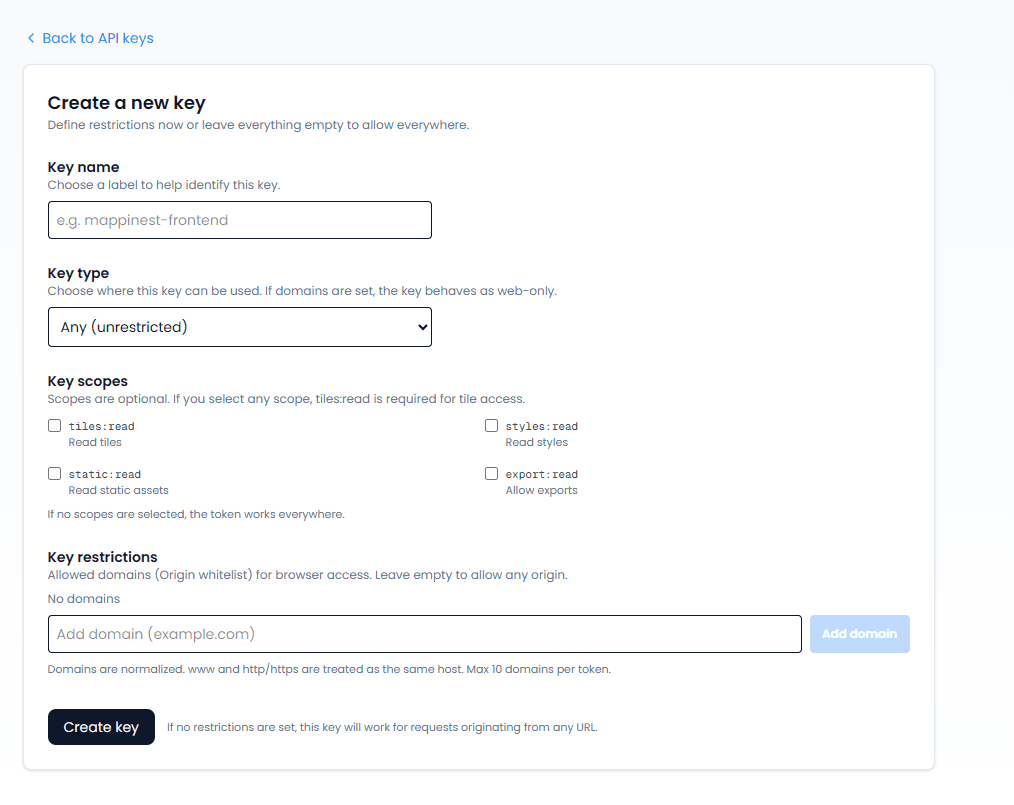
Edit key policy form
Edit form for an existing key with updated scopes, domains, and tileset restrictions.
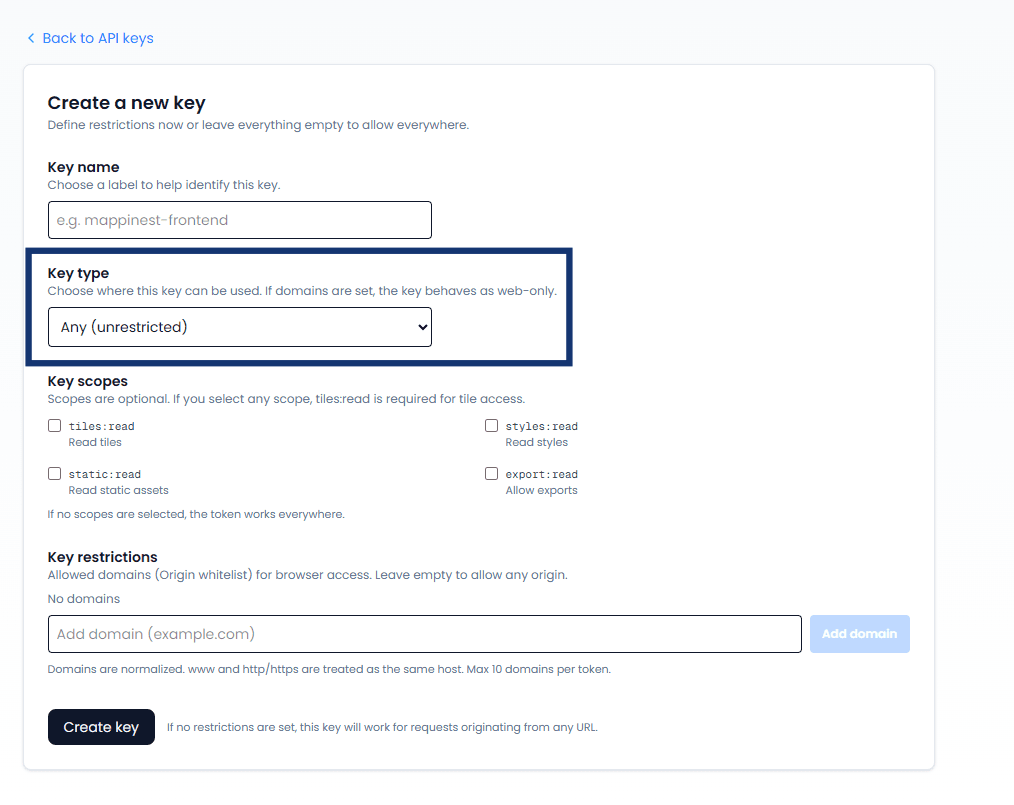
Key types
Key type defines where a key can be used by default. Start with Any (unrestricted) during setup, then move to web, desktop, or server when you want tighter production rules.
Scopes
Scopes are optional for existing read integrations. If you set any scopes, Tiles API access requires tiles:read, Maps API access requires maps:read, and Dataset API reads require datasets:read.
- tiles:read
- maps:read
- datasets:read
- static:read
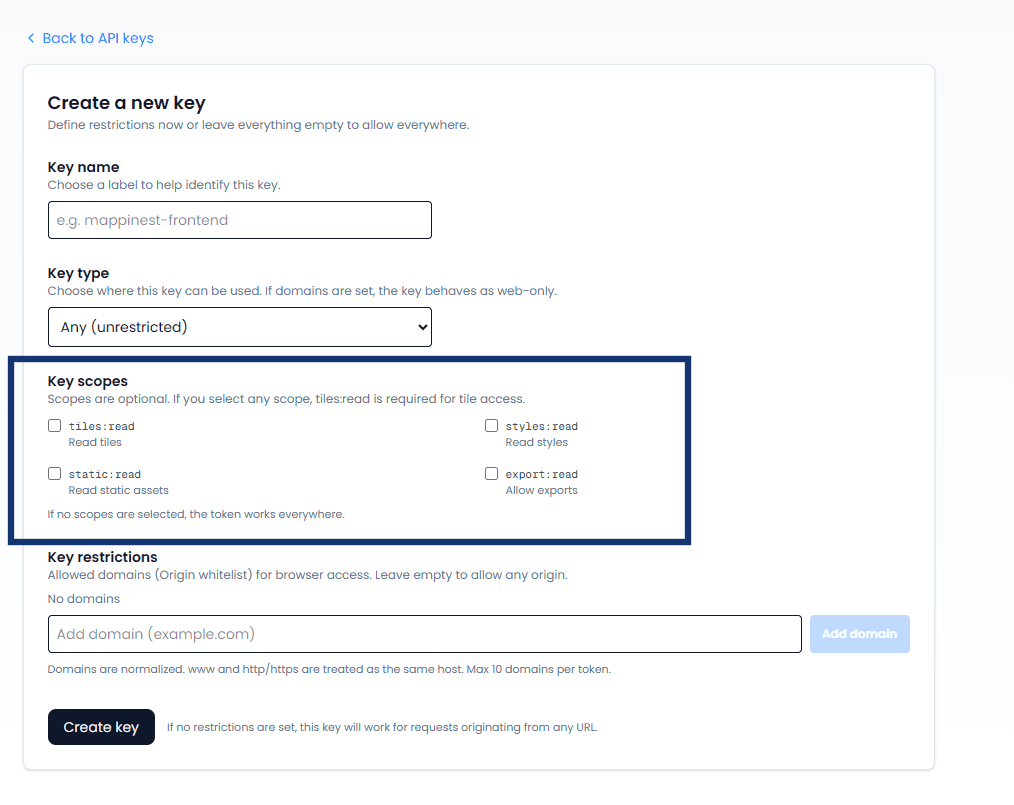
Serving scopes
When scopes are non-empty, a request returns 403 if the required tiles:read, datasets:read, maps:read scope is missing.
URL restrictions
Add domains to restrict browser access.
When the list is non-empty, the request must include an Origin header and the host must match the allowlist.
Domain restrictions rely on this browser Origin header and enforce the allowlist at request time.
- Browser sends
Originwith the request. - Mappinest compares
Originagainstallowed_domainson the API key. - If it matches, the request is allowed and CORS response headers are returned.
- If it does not match, the request is rejected before tile data is returned.
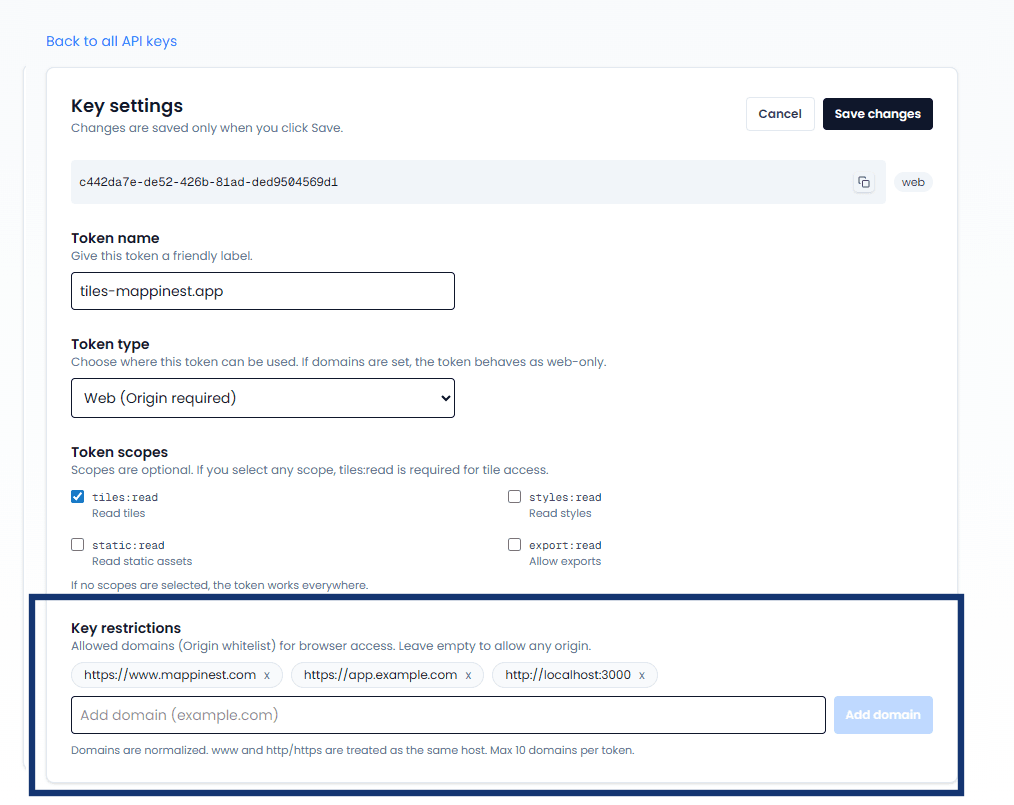
- Production web app
https://www.mappinest.com - Staging app
https://app.example.com - Local development
http://localhost:3000
Domains are normalized. http/https and www are treated as the same host (port and path are ignored).
Limits
Rules at a glance
- No restrictions (no domains, no tilesets, no scopes, key type unset) means the key works in browser and non-browser clients.
- If
allowed_domainsis set,Originis required and must match. Non-browser requests are blocked. - If key type is
weband no domains are set,Originis still required and any host is allowed. - If key type is
desktoporserverand no domains are set,Originis optional. - If
allowed_tilesetsis set, only those tilesets are allowed. - If
scopesis set,tiles:read,datasets:read, andmaps:readmust be present for respective access.
Non-browser clients usually do not send Origin. That is why strict domain allowlists are mainly for browser-facing keys.
Desktop GIS
Use a desktop or server key (or an unrestricted key). If allowed_domains is set, desktop clients will be rejected because they do not send Origin.
Mobile apps
Use a desktop key without allowed_domains, or an unrestricted key. Native mobile apps do not send Origin, so a web key or a key with domain restrictions blocks their requests.
Last updated: October 20, 2026