

Usage Analytics
Track requests across keys, tilesets, datasets, maps, domains, countries, devices, and browsers in the Mappinest Usage Analytics dashboard.
Overview
Usage Analytics helps you understand how your maps and data are being used. Track requests across API keys, tilesets, datasets, and maps, and break them down by domain, country, device, and browser.
You can find it in the console under Analytics → Usage.
What you can track
- Requests by API key, tileset, dataset, and map style
- Trends over time with preset and custom date ranges
- Traffic sources by domain
- Geographic usage by country
- Devices and browsers
Dashboard overview
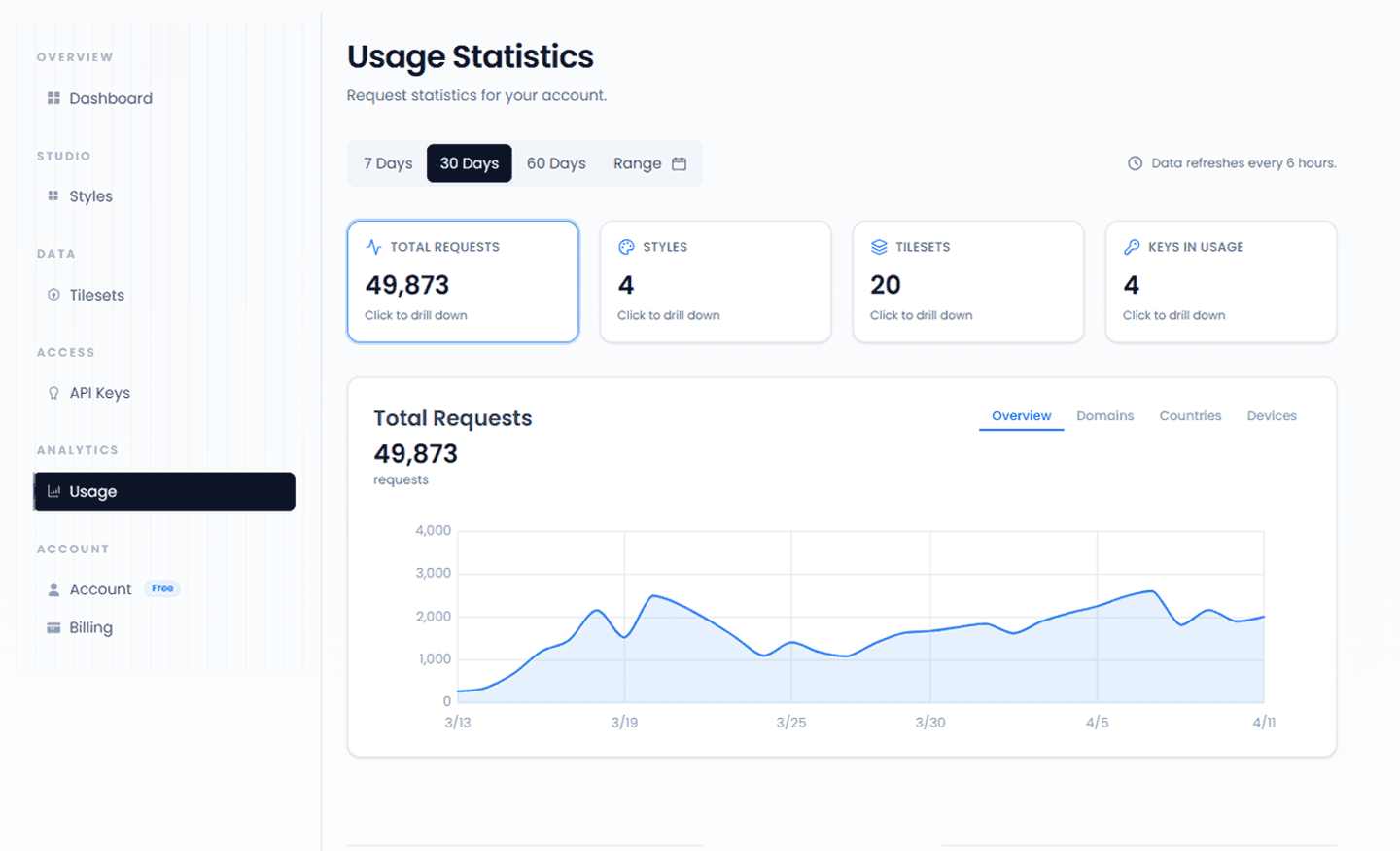
The Usage page shows summary cards and request trend charts for the selected time range. Use the range selector to compare periods, then drill down by key, tileset, or map.
Usage dashboard
Overview cards and request trend charts from the Usage page.
Drill down into your data
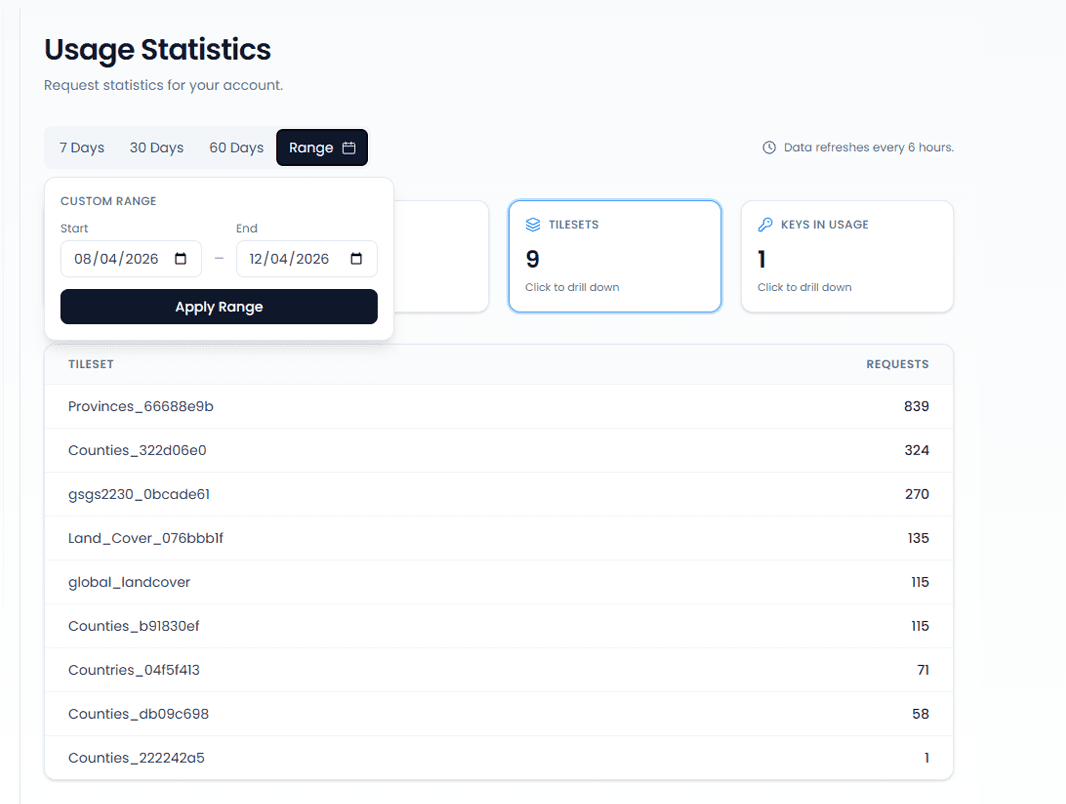
Use filters and breakdowns to inspect usage by key, tileset, dataset, or map. The drill-down table supports both preset and custom date ranges for narrower inspection.
Drill-down by key, tileset, and map
Request counts broken down by key, tileset, and map.
Breakdowns
Breakdowns are available at two levels — for total requests across all APIs, and separately for Tiles API, Maps API, and Dataset API. Each level has its own tabs: Domains, Countries, and Devices.
By domain
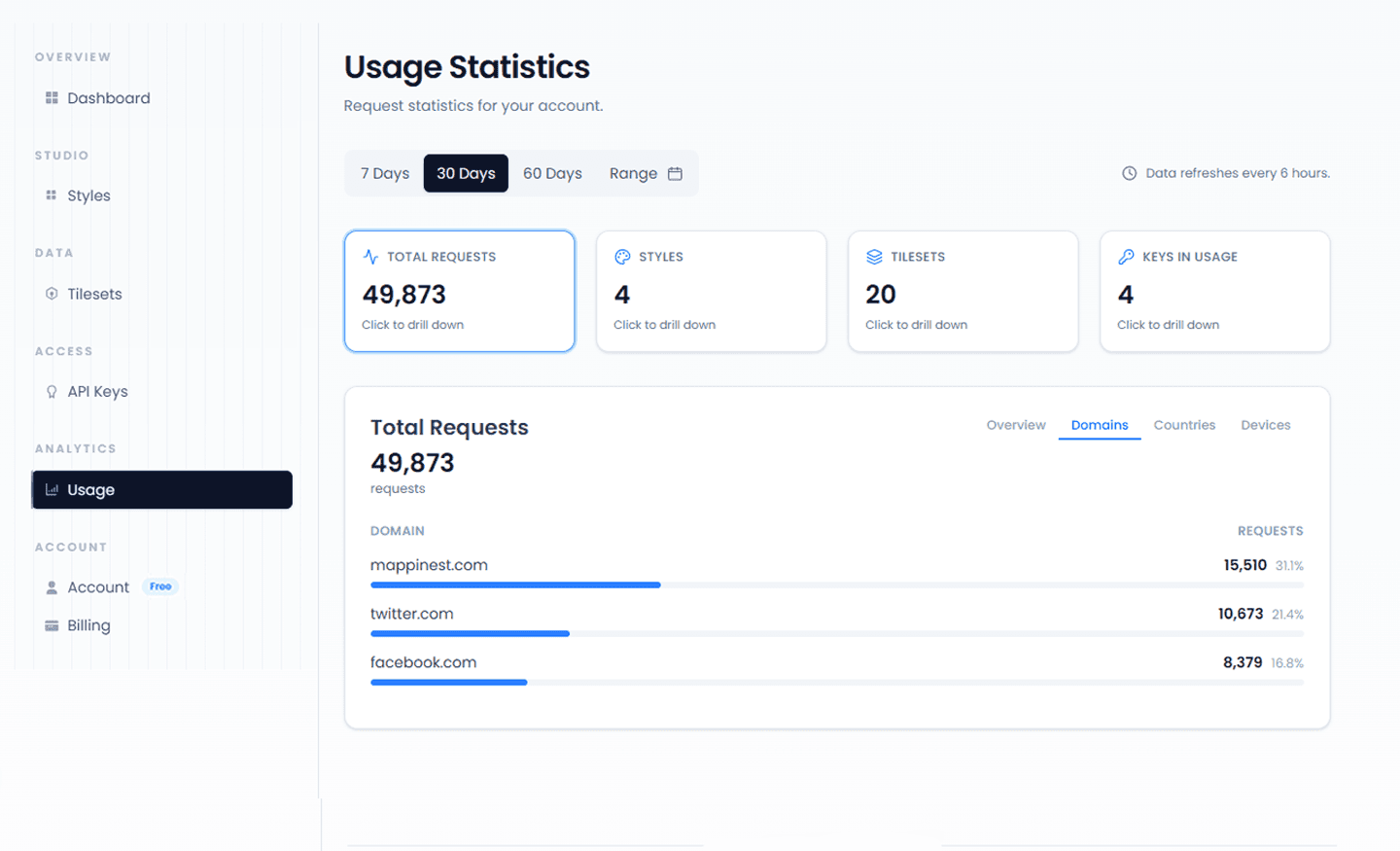
See which origins generate the most requests — across all traffic or scoped to a single API. Useful for comparing production, staging, and partner traffic.
Domain breakdown
The Domains tab ranks origins by request volume for the selected period.
By country
Understand where your traffic is coming from. View total geographic distribution or compare country breakdowns between Tiles API, Dataset API, and Maps API independently.
By device and browser
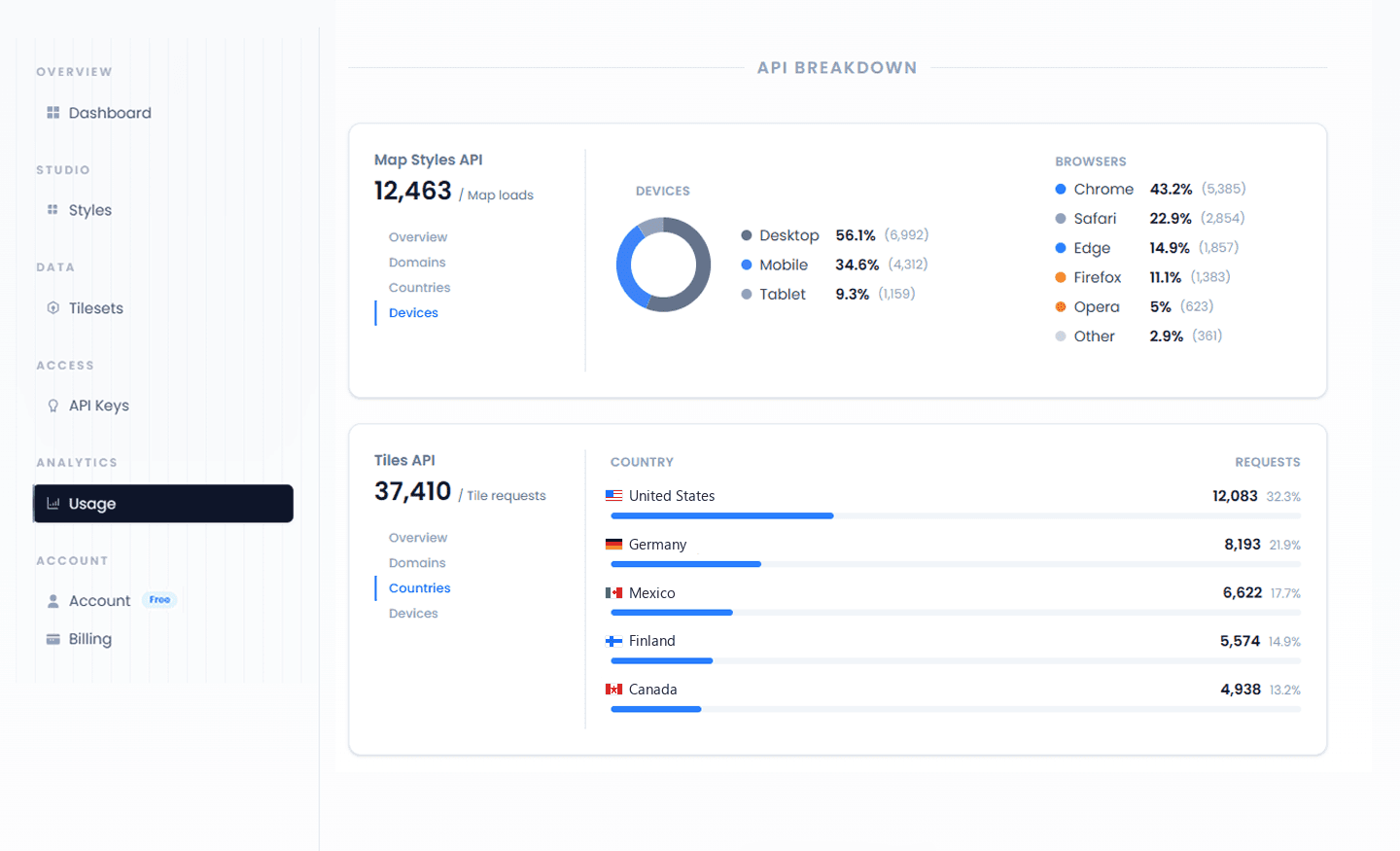
Analyze Tiles API, Dataset API, Maps API usage across desktop, mobile, and tablet. The Devices tab includes a browser split for Chrome, Safari, Edge, Firefox, Opera, and others.
API breakdown — Maps API and Tiles API
Maps API and Tiles API, each with its own Domains, Countries, and Devices tabs.
Common use cases
- Identify which domains generate the most tile or map requests
- Monitor usage spikes and correlate them with deployments or campaigns
- Debug unexpected request increases by key or tileset
- Monitor dataset request growth after an integration is released
Usage data refreshes every 15 minutes. It is designed for operational monitoring, not second-by-second live debugging.
Last updated: October 15, 2026